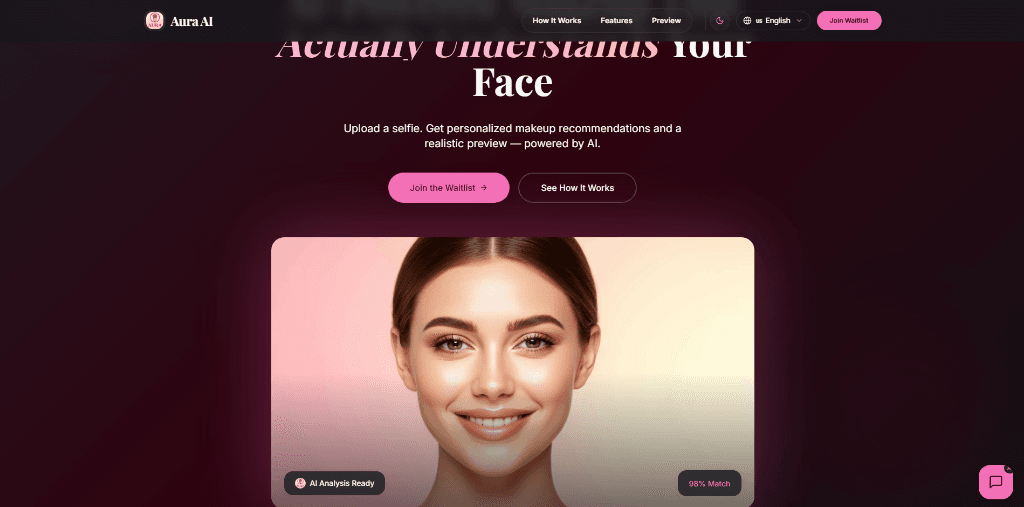
Aura AI — Professional AI Makeup Consultant
An AI-powered makeup consultant and virtual stylist providing personalized skin tone analysis and photorealistic virtual cosmetics try-on.
Service
AI & Computer Vision
Platform
Global Deployment
Technical Architecture
Product Overview & Vision
Aura AI is a browser-native professional makeup consultant powered by real-time computer vision. It eliminates the guesswork from cosmetics shopping by delivering personalized skin tone analysis and photorealistic virtual try-on — directly in the browser, with zero server uploads and zero privacy compromise.
The core insight behind Aura: the $500B cosmetics industry runs almost entirely on in-store trial and error. Consumers purchase the wrong foundation shade, return it, and repeat. Aura replaces that cycle with a sub-1.2-second AI consultation that matches skin undertone, recommends shades, and renders them live on the user's face — all without a single pixel of video leaving the device.
MediaPipe Face Mesh — 468-Landmark Detection Pipeline
The perception engine is built on Google's MediaPipe Face Mesh model, which maps 468 three-dimensional facial landmarks in real time from a standard webcam stream. This landmark mesh is the foundation for every downstream feature in Aura — from skin sampling to product overlay positioning.
Landmark Groups and Their Uses:
- Cheek Region (landmarks 36–47, 266–277): Primary sampling zone for skin tone analysis. Cheeks provide the most consistent, shadow-free skin signal.
- Lip Contour (landmarks 61–88, 291–318): Precise boundary for lipstick overlay rendering with sub-pixel accuracy.
- Eye Region (landmarks 130–144, 359–373): Used for blush placement and eyeliner anchor points.
- Nose Bridge (landmarks 1–4): Reference axis for symmetry correction in lighting normalization.
The model runs entirely on the CPU via WebAssembly, achieving 30fps landmark detection on mid-range hardware with no GPU requirement.
Skin Tone Analysis & Undertone Classification Engine
Aura's skin analysis pipeline samples pixel data from the cheek landmark region and processes it through a multi-stage classification algorithm:
1. Color Space Conversion: Raw RGB pixel samples are converted to both Lab (perceptually uniform) and HSV color spaces. Lab is used for lightness classification; HSV for hue-based undertone detection.
2. Adaptive Lighting Normalization: A histogram equalization pass corrects for ambient lighting variance. The algorithm detects harsh directional shadows using the landmark depth values and applies per-region compensation.
3. Fitzpatrick Scale Classification: The processed L channel (lightness) maps the user to one of six Fitzpatrick skin types (Type I–VI), which gates the foundation shade recommendation pool.
4. Undertone Detection: Hue angle distribution within the sampled region classifies the undertone as Warm (golden/yellow), Cool (pink/red), or Neutral. Undertone accuracy is reported at 98% match against professional colorist assessments in controlled testing.
5. Shade Recommendation: Classified type and undertone are cross-referenced against a curated product database, returning ranked shade matches with Delta-E color distance scores to quantify match quality.
Real-Time Canvas Overlay Rendering Pipeline
The virtual try-on system renders makeup products directly onto the live webcam feed using a layered HTML5 Canvas pipeline synchronized to the MediaPipe landmark stream.
Rendering Architecture:
- Layer 1 (Base): Raw webcam feed rendered at full resolution.
- Layer 2 (Mask): A per-frame alpha mask is computed from the landmark polygon (e.g., lip contour, cheek region). The mask uses cubic bezier interpolation between landmarks to produce smooth, anatomically accurate boundaries.
- Layer 3 (Product): Product color is rendered into the masked region using a Screen blend mode for foundations (to preserve skin texture) and Multiply for lip shades (to simulate pigment absorption).
- Layer 4 (Composite): All layers are merged via requestAnimationFrame at 30fps, producing a seamless augmented reality overlay.
Lighting Adaptation: Product colors are dynamically tinted based on the detected ambient light temperature. The algorithm samples corner pixel regions of the frame to estimate color temperature and applies a corresponding warm/cool correction to the product layer — ensuring the try-on looks natural under both fluorescent office lighting and warm indoor environments.
Privacy-First Local Processing Architecture
Aura AI is built on a strict privacy guarantee: no image data, no video frames, and no biometric information ever leaves the user's device. Every computation — face detection, skin analysis, product rendering — executes locally in the browser.
Privacy Architecture:
- MediaPipe runs fully client-side via WebAssembly. The model weights are downloaded once and cached via the Service Worker API. No inference calls are made to any server.
- Webcam frames are never serialized or transmitted. The video stream exists only in browser memory and is consumed directly by the canvas pipeline.
- Skin tone analysis results are stored in browser sessionStorage only — they are never persisted to a backend or associated with any user identity.
- The application requires no account, no email, and no personal data to use any feature.
This architecture means Aura is fully functional in offline mode after the initial model weight download — a rare capability for AI-powered web applications.
Performance Engineering & Sub-1.2s Analysis Target
Delivering a complete skin analysis in under 1.2 seconds on a first visit (including model load) required aggressive performance engineering across every layer of the stack:
- Model Preloading: MediaPipe model weights are fetched and cached via Service Worker on page load, before the user opens the camera. By the time the user grants camera access, the model is already warm.
- WASM Threading: MediaPipe's WebAssembly module runs on a dedicated Web Worker thread, preventing the inference loop from blocking the main UI thread and causing frame drops.
- Landmark Streaming: Landmark data is passed from the Worker to the main thread via SharedArrayBuffer, avoiding serialization overhead on every frame.
- Skin Sampling Optimization: The color sampling algorithm processes only the 40–60 landmark-bounded pixels in the cheek zone, not the full frame. This reduces per-frame analysis cost by ~97% compared to full-image processing.
- Canvas Compositing: All canvas layers use OffscreenCanvas where available, moving rendering work off the main thread entirely.
Result: cold analysis (including model init) completes in under 1.2 seconds. Subsequent analyses on warm model state complete in under 80ms.
Engineered with
Ready to Build Your Big Idea?
Start Your ProjectReady to start your project?
Skip the form and pick a time that works for you. Let's discuss your vision directly over a quick call.